

It never hurts to have a diary to write down events, day-to-day anecdotes, quotes, thoughts and stop counting. It can be anything that you want to write down in one, and for that reason they have several purposes and, fortunately, there are several newspaper applications available in the Google Play Store.
We present a post in which we've listed the 5 best journaling apps for Android. All of them are available on the Play Store and are free. They are also among the most popular, downloaded, and used apps, thanks to their diverse features and everything they have to offer.
This time, we're bringing you a compilation of the 5 best journaling apps for Android phones. It's worth reiterating, as always, that all the apps in this collection are free. Therefore, you won't have to spend any money to get one or all of them.
However, one or more may have an internal micro-payment system, which would allow access to more premium content, such as advanced functions and exclusive features. Similarly, it is not necessary to make any payment, it is worth repeating.
Personal diary

It's always good to have a personal journaling app, which is why we've ranked this one first. If you're thinking of starting the habit of writing everything about your life, from successes to setbacks and anything else that comes to mind, Personal Journal is a great option , especially if you already used a physical journal or a basic app for that purpose.
With over 50 million downloads, this is one of the most popular apps of its kind , allowing you to write daily notes, progress updates, tasks, schedules, appointments, to-dos, completed activities, and much more. For enhanced security and privacy, you can also lock access to the app, requiring a PIN to view your journal entries.
The text input feature allows you to use emojis (emoticons) to express emotions, feelings, and more. Furthermore, you can give all your anecdotes a title to easily identify them later. You can also change and adjust the text size, color, style, and virtually anything else you can think of to make your notes as colorful and personalized as possible.
Your personal journal also features cloud storage. This means that your data, information, and all previously recorded notes are not saved on your phone, but on the application's server, allowing you to access your journal from any Android smartphone.
Finally, this app also supports email, so you can send your entries to your email. It also features a calendar, search bar, options menu, and more. It's undoubtedly one of the most comprehensive apps of its kind, which is why we've included it in this roundup post.


My Diary - Diary, Diary with lock
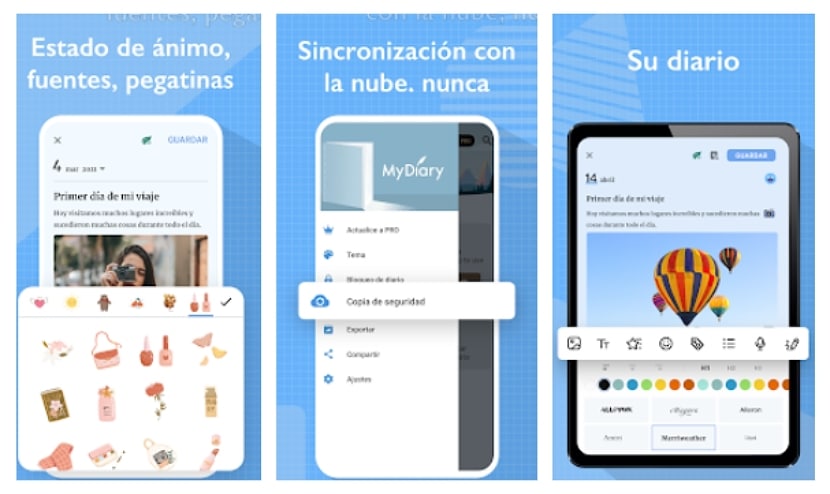
Another excellent alternative for a journal app to keep track of your daily activities is this one. Its interface is one of the cleanest, most organized, and most comprehensive. This app also features a text editor with many options for editing and creating creative entries, including emoticons, images, stickers, and even videos—something not all apps of this type support. It also allows you to change the font type and style for more complete customization of all your entries, notes, appointments, and calendars.
Like others in its category, this diary protects your information and offers security and privacy for its contents , so you won't have to worry about leaving your phone unattended and someone taking it to snoop through everything you've saved. Simply set a pattern or PIN lock to require access. If your phone has an in-display fingerprint reader, it's also compatible with the My Diary lock.
Syncing your journal with Google Drive or Dropbox is now commonplace. This allows you to easily access your journal from other Android devices, meaning your phone doesn't necessarily store all the data and entries. Therefore, if you lose your phone or something happens, your journal will remain safe in the cloud with everything you've previously written down.
Regarding the customization of this app's interface, you can also change the background color or choose, if desired, night or dark mode , which will protect your eyes in low or no-light conditions. Another interesting feature is that this app allows you to export your journal in TXT and PDF formats, and it also offers a calendar and more.

Unicorn password diary (fingerprint)
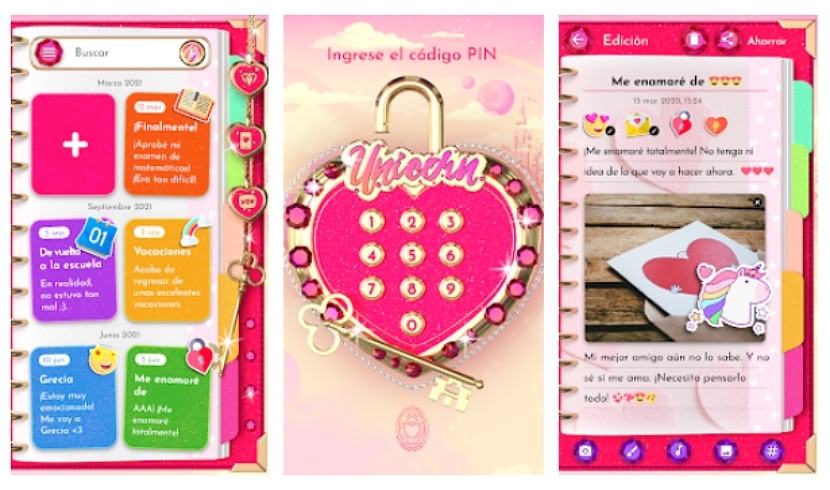
If you're looking for a journaling app with a more feminine touch , Unicorn Password Journal is the perfect fit. As its name suggests, this journal offers password protection and even fingerprint authentication (only if your phone has a physical fingerprint sensor, of course). If you happen to forget your password, the app's security question will help you remember it; just set it up beforehand.
Its design, in addition to being very feminine, is also perfect for the girls of the house. A journal is one of the most effective ways to distract yourself, encourage reading, imagination and stimulate the habit of writing and writing in the little ones.
This app has everything you need to jot down memories, anecdotes, and anything else that comes to mind. If you tend to forget all your daily tasks, it's also perfect for remembering pending items and scheduling appointments, as it includes reminders, notifications, and more.
You can organize the interface however you like to view your journal entries, with tile and list views. It also includes statistics that allow you to view your daily, monthly, and yearly entries, and lets you share memories through social networks like Facebook and apps like Messenger or Gmail. Furthermore, entries support creating drawings with various colored brushes and more for colorful and creative annotations, as well as adding sounds to make them fun.

My Diary - Mood Diary with Lock
Another diary that is listed in the Google Play Store app store as one of the best and most colorful is My Diary - Mood Diary with Lock.
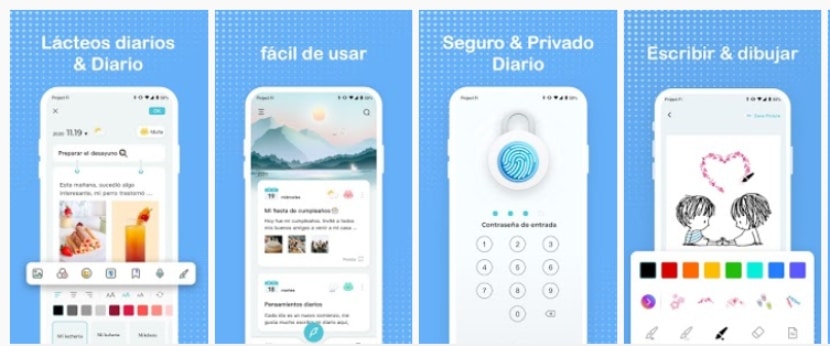
It is also another excellent alternative to the previous applications that we have listed in this compilation, as it is an app with numerous functions that include a lock, which can be unlocked through keys and the use of the fingerprint through the sensor of the Android mobile.
Forget about creating traditional journal entries. With this app, you can create text entries with different themes, fonts, and stickers to make your memories and anecdotes more fun and creative. You can also add images, videos, and audio to make it more dynamic.
The background themes available in this journal's catalog for each entry include seasonal themes, solid colors, and many more to suit individual tastes and the topic of the entry. This allows you to let your imagination guide you when editing a journal entry. You can also record voice notes in this app , so you don't always have to type out your daily experiences.

Intimate diary with password
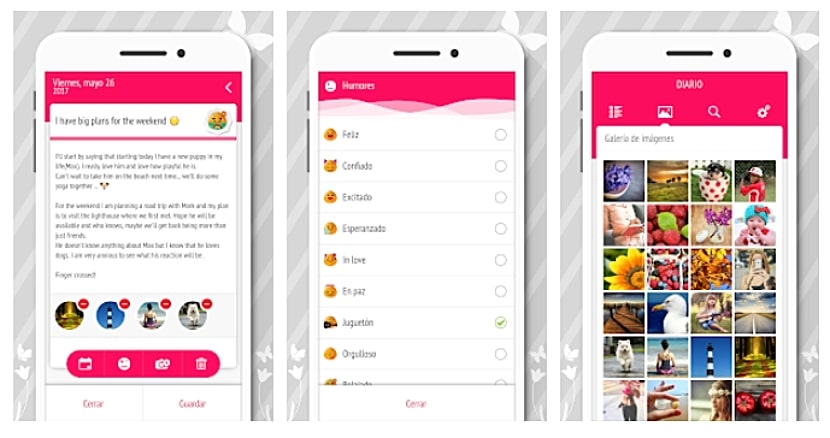
Finally, to conclude this roundup of the 5 best diary apps for Android, we have Password-Protected Diary. This diary, like the others we've listed above, takes security and privacy very seriously , so in this case, it features a four-digit PIN lock. It also includes functions for updating, recovering, and deleting passwords, as well as automatic locking after more than 5 minutes of inactivity.
It's ideal for women and for storing secrets, events, to-dos, and anything else. Its interface is easy to understand and, at the same time, very organized , so you can access any entry in a matter of moments.
It's also one of the lightest, weighing in at around 7 MB. Furthermore, it's one of the most popular, with over 5 million downloads on the Play Store and a 4.5-star rating.

Table of Contents