
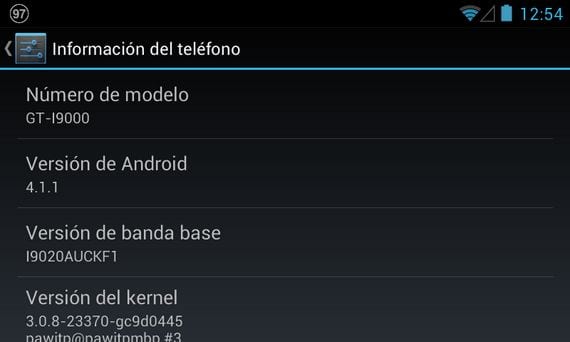
These days, I've been testing all the Jelly Bean ROMs that have come out for the Samsung Galaxy S , and I can tell you, knowing what I'm talking about, that this is the best port I've found by a long shot.
The ROM created by Team Android Jelly Bean is the best one that has ever been installed on my Samsung Galaxy S. They are already on version v6 and it shows in the improvements they have made.

One of the things that has surprised me the most is that they have dispensed with or eliminated the datadata partition , that cursed partition that has given us so many problems in CyanogenMod 9 and which had to be fixed, since it filled up relatively quickly with the data of our installed applications, which, when it ran out of space, started to force applications to close.
The most impressive thing is that even after moving the application data to the data partition , the ROM doesn't run slowly or have any bugs or lag.

If you want to experience Jelly Bean on your Samsung Galaxy S in a decent and smooth way, don't hesitate to install what, in my opinion and based on my own tests on my device, is the best Jelly Bean ROM currently available for the Samsung Galaxy S.
Requirements to install this rom
The requirements to install this rom are the same as always:
- Have the terminal rooted and with it ClockWorkMod Recovery installed.
- Have the battery fully charged.
- Having usb debugging activated from the device settings menu.
Required files
To install this ROM we will need to download two compressed files , one with the ROM and the other with the SuperSU fix.

Once both files are downloaded, we will copy them without unzipping, directly to the root of the device's internal memory , then turn off the terminal and restart it in Recovery mode.
Installing the TAJB v6 rom
- Wipe data / factory reset
- Wipe cache partition
- Advanced / wipe dalvik cache
- Go Back
- Install zip from sdcard
- Choose zip from internal sdcard
- We select the zip of the rom and confirm its installation.
- We do all the wipes of the first three steps again
- Advanced and select fix permissions.
- Reboot system now
Once it restarts, we'll leave it without configuring anything for five minutes to allow the new ROM to settle. After that reasonable time, without configuring anything yet, we'll turn off the device and turn it back on in recovery mode to install the SuperSU fix.
- Install zip from sdcard
- Choose zip from internal sdcard
- We select the zip of the supersu fix and confirm its installation.
- Advanced and choose fix permissions
- Reboot system now
Now you wait for it to restart, and you will be able to configure your accounts and restore your applications.

More information – Elite Team Jelly Bean ROM for the Samsung Galaxy S
Download - Rom TAJB v6, fix supersu