

Wondering how to tell if your phone is unlocked ? Having an unlocked phone gives you the complete freedom to choose any carrier based on your needs, whether it's price, coverage quality, or additional benefits. However, we can't always afford to buy an unlocked phone directly, as they usually have a higher initial cost than subsidized or contract-linked phones.
It's very common to buy a device locked to a specific carrier, which means a mandatory contract and the inability to use the phone with another company unless it's unlocked. But how can we be absolutely sure if our device has network restrictions or if it's completely unlocked?
In this comprehensive article, we'll answer all your questions. We'll not only show you the quickest ways to find out if you can use your phone with a different carrier, but we'll also guide you on how to unlock it , where to go, and whether this process could affect your device's warranty. We'll also analyze the key differences between an unlocked and a locked phone.
Differences between an unlocked and a locked mobile phone
Before getting into the verification methods, it's essential to understand what each status entails. An unlocked phone is one that has no software restrictions imposed by any carrier. This allows you to switch phone companies at any time, take advantage of prepaid offers, or use international SIM cards when traveling abroad without worrying about roaming restrictions.
Furthermore, unlocked phones typically receive software updates faster, as they don't depend on carrier validation and network adaptation. They also offer greater customization options and, in the long run, tend to have a higher resale value on the secondhand market.
Conversely, a locked phone is limited to a specific carrier. If you try to insert a SIM card from another company, the device will ask for an unlock code or simply won't recognize the network. These limitations can include restrictions on mobile data settings and slower system updates, as the manufacturer must coordinate with the carrier before releasing them.
How to tell if my phone is unlocked: Effective methods
If you want to find out if your phone is unlocked or locked to the carrier you bought it from, we have several options. Below, we detail the three most reliable methods, from the simplest to the most technical.
Method 1: Use a SIM card from another carrier
This is the simplest and fastest way to get a definitive answer. It requires no technical knowledge or complicated codes. All you need is a SIM card from a different company than the one that originally supplied the phone. You can ask a friend or family member who uses a different carrier for a SIM card.
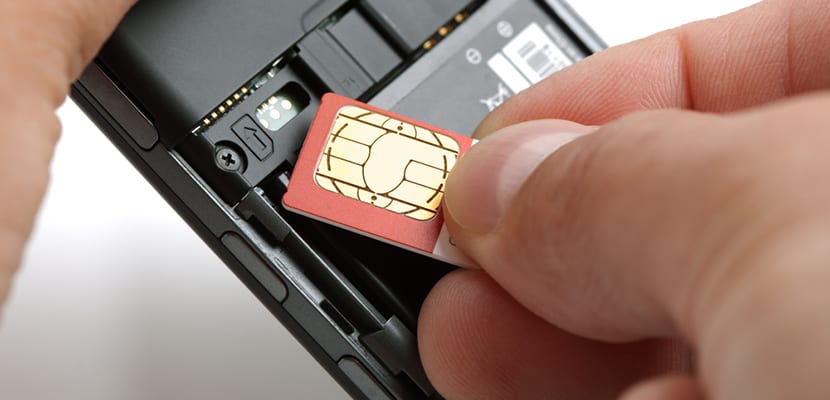
- Turn off the device and open the SIM card slot (use the key removed from the device or a paperclip if necessary).
- Enter the SIM from a different operator and turn on the phone.
- Enter the PIN code for the new card if prompted.
If your phone recognizes the network, shows a signal, and allows you to make or receive calls, congratulations! Your phone is unlocked . If, on the other hand, the device displays a message such as "Invalid SIM," "Network Blocked," or requests a "Network Unlock Code," it means the phone is locked. This method is 100% reliable as it tests for physical network limitations.
Method 2: Enter manufacturer's secret codes
If you don't have a SIM card from another carrier handy, you can try using the service codes provided by the manufacturers. Keep in mind that these codes can vary depending on the operating system version and model, so they might not work on newer devices. If that doesn't work, don't worry, there are other methods.
Samsung
For Samsung devices, open the phone app and dial the code: *#7465625#.
If the message "OFF" appears after entering it , it means that network locking is disabled and your phone is unlocked. If the message "ON" appears, the phone is locked to the carrier.
iPhone (Apple)
For iPhones, there are two paths depending on the iOS version. The first is to go to Settings > Cellular > Cellular Data Options . If you see the "Cellular Data Network" option available to configure, it's very likely that the device is unlocked, as this option is usually hidden on locked devices.
In newer versions, the most accurate path is Settings > General > About . Look for the "Carrier Lock" section . If it says "No SIM Restrictions ," your iPhone is unlocked. If a carrier name appears, the phone is locked to that carrier.
Huawei
For Huawei phones, open the numeric keypad and dial the code: *#*#2846579#*#*.
An internal menu will open. Follow this path: Project Menu > Network Settings > SIM Card Lock state query . If the result is "SIMLOCK_DEACTIVE" , the phone is unlocked. If "NW_LOCKED" appears, the device is locked.
Sony
On Sony devices, enter the following code in the phone app: *#*#7378423#*#*.
A secret menu will appear where you should select "Service Info" and then go to "Configuration" . Look for the "Rooting Status" section . If it says "YES" , the phone is unlocked; if it says "NO", it remains locked.
LG
For LG, we don't need codes. Go to Settings > About phone > Software information.
Look at the "Software Version". If the version code ends in "-EUR-XX" , it's a clear sign that the device is an unlocked version for the European market.
Xiaomi
Xiaomi doesn't usually provide public codes for this check. For devices of this brand, the most effective method is using an external SIM card or checking the IMEI , which we will detail later.
How to tell if my phone is unlocked using the IMEI
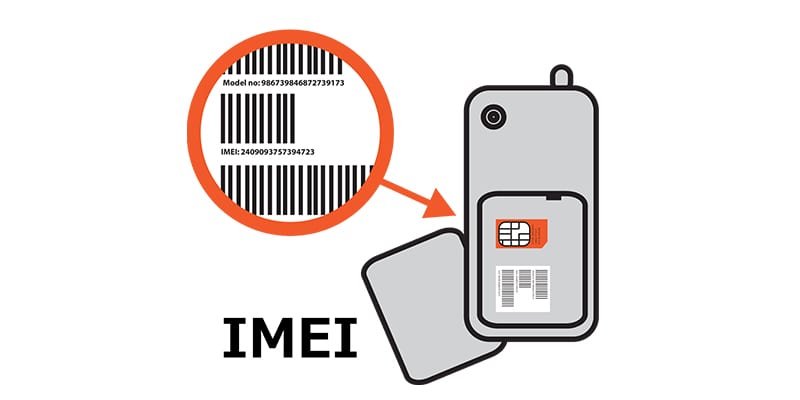
The IMEI (International Mobile Equipment Identity) is the unique identification document for each mobile device, consisting of 15 digits. This code is used not only to unlock the phone, but also to report it in case of theft or loss.
Before checking if the phone is unlocked, we first need to obtain the IMEI. There are three quick ways to do this:
- Universal code: Open the phone app and dial * # # 06The number will automatically appear on the screen without needing to call.
- From Settings: On Android, go to Settings > About phone > Status > IMEI information. On iPhone, go to Settings > General > About.
- In hardware: The IMEI is usually printed on the original box of the device or, in some models, on a sticker attached under the battery (in removable mobile phones) or on the SIM tray.
Once you have the IMEI number, you can proceed in two ways to find out if the phone is unlocked:
- Consult online databases: There are specialized pages such as imei.info (for all brands) or iPhoneOX (exclusive to Apple). You enter the IMEI and, if the database is up to date, you can see the network status. If the word appears "FREE"The phone is unlocked.
- Contact the operator: Call the customer service department of the company where you bought the phone and provide them with the IMEI. They will be able to instantly confirm if the device is locked to their network.
Is it possible to unlock a locked mobile phone?
The short answer is YES . There are several ways to unlock a phone, depending on whether or not you have completed the contract period agreed upon with your carrier.
If your contract has ended or your phone has exceeded its minimum term, the operator is legally obligated to provide you with the unlock code free of charge. In many cases, this process is quick and easy, requiring only a phone call to obtain the code.
However, if you're still under contract, the carrier will likely refuse to give you the code. In this scenario, you have two options:
- Application usage: There are some apps on the Play Store that claim to generate unlock codes. While they're not foolproof and their success rate varies, they may work on older models.
- Specialized third-party services: When the official channels are closed, there are professional companies like DoctorSIMThese services have global databases and can provide the unlock code remotely and securely in exchange for payment.
Unlocking guide according to the operator (Movistar, Vodafone, Orange)
Depending on your carrier, the process varies. Here are the detailed steps for the most common carriers:
Unlocking on Movistar
Movistar is usually flexible with unlocking devices. To request the code, follow these steps:
- Call the customer service number 1004 and request the unlock code.
- Have the IMEI of the terminal, as they will ask for it to identify the unit.
- Enter the code you received on your phone. Be careful: the device allows up to 10 attempts; if you fail 10 times, the device may be permanently locked.
Unlocking on Vodafone
Vodafone generally unlocks phones for free once they are no longer under contract. The process is mostly digital.
- Access the customer area "My Vodafone" through the official website.
- Select the phone line associated with the device you wish to unlock.
- Go to the section "My Mobile" and look for the unlock option.
- Enter the IMEI and a contact email address. Within approximately 48 hours long.You will receive the code and detailed instructions.
Unlocking on Orange
For Orange, the process can be completed through their online technical support portal or by calling their customer service numbers: 1470 for residential customers and 1471 for businesses. You will need to prove ownership of the device and provide the IMEI number.
How to unlock your mobile phone step by step using IMEI
Unlocking a mobile phone by IMEI is the standard process regardless of the brand. Once you have the 15-digit numeric code, the next steps depend on your contract situation.
Option A: Via Operator (Free)
If you're not under contract, call your carrier. Provide the model and IMEI. They'll give you the unlock code in seconds. Simply insert a SIM card from another carrier, and when the phone asks for the code, enter the one your carrier gave you and confirm.
Option B: Via Doctor SIM (Payment/Third Party)
If the carrier cannot or will not unlock it, the process with a professional service is as follows:
- Visit the website of cell phone fakes by Doctor SIM.
- Enter your device's IMEI in the search bar.
- Select the unlocking service and make the corresponding payment.
- Wait to receive the code in your email.
- Insert a SIM card from a different carrier into your phone.
- When the unlock request appears, enter the received code and confirm.
Does unlocking a mobile phone void the warranty?
This is one of the most frequently asked questions. The answer depends entirely on how the release is performed.
If the unlock is performed through the official carrier by entering a network code, you will NOT lose your warranty . The carrier is providing an authorized code to modify a legal software restriction, so the device remains covered by both the manufacturer's and the seller's warranties.
However, the risk arises when using unofficial methods. If unlocking the phone requires rooting ( superuser access) or modifying the system ROM, then you could void the warranty , as you are altering the integrity of the manufacturer's original software.
As a final piece of advice, if you have to send your phone to a repair shop while it's unofficially unlocked, it's best not to mention the unlocking unless absolutely necessary. Some repair shops might use it as an excuse to deny the warranty, even though legally unlocking by code isn't considered a hardware modification.
Determining if a device is unlocked is a crucial step, especially if you're planning to buy a used smartphone or want to switch carriers to save on your monthly bill. Whether by using a third-party SIM card, looking up secret codes for Samsung, iPhone, Huawei, Sony, or LG, or checking the IMEI on specialized websites, it's very easy these days to obtain this information and, if necessary, unlock the device completely.
Table of Contents
- 1 Differences between an unlocked and a locked mobile phone
- 2 How to tell if my phone is unlocked: Effective methods
- 3 How to tell if my phone is unlocked using the IMEI
- 4 Is it possible to unlock a locked mobile phone?
- 5 How to unlock your mobile phone step by step using IMEI
- 6 Does unlocking a mobile phone void the warranty?
