
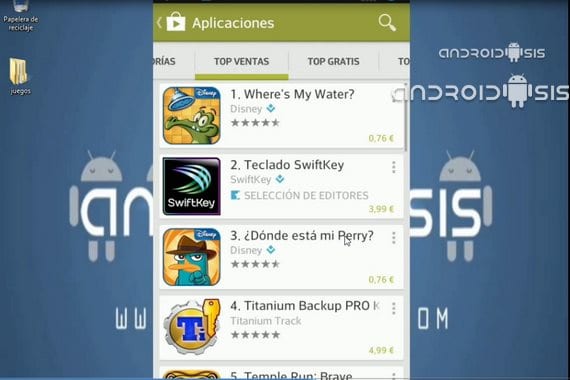
In the following video I will show you how to download and install the new version of the Android app store , the Play Store 4.0.25, valid for devices running versions equal to or higher than Froyo or Android 2.2.
In the video you can see how I install it on an LG Optimus 3D running Android 4.0.4 Ice Cream Sandwich , and contrary to what was initially speculated, the application seems to me less heavy and with a completely renewed functionality and design that makes its use and navigation through the different categories more pleasant.
Please note that in order to install Play Store 4.0.25 , you will need to enable the option to install apps from unknown sources . This option can be found in different places depending on the Android version you are using.
In Froyo or Gingerbread, you'll find it in Settings/Applications , while in higher versions of Android, you can find it in Settings/Security.
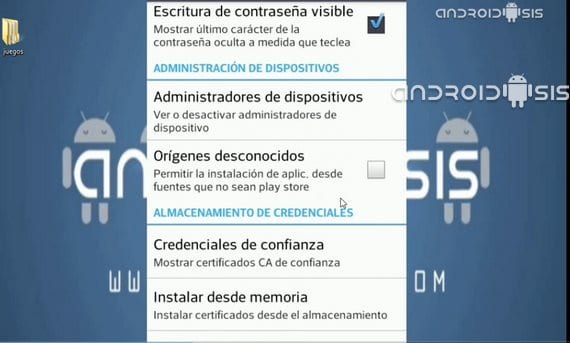
Once the checkbox is selected and the application is downloaded to the internal memory of our device, we just have to access the path where we saved it with any file explorer and click on it to run it.
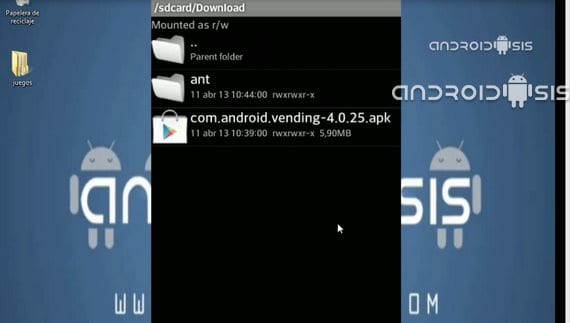
A message will appear saying that we are going to replace a system application, to which we must reply that we accept and the installation of the new version of the Play Store 4.0.25 will begin.
As you can see in the attached video, the application is fully functional and has no bugs or malfunctions. In fact, we even installed an application in the video itself so you can see its complete compatibility.
Personally, I have loved this new version and its pleasant experience in terms of fluidity and performance , as well as in the organization and search for applications, games, movies, music or books.
If you want to know more details about this new version, you can read the following article published a few hours ago in Androidsis.
More information – How to increase your processor speed , How to optimize RAM on Android devices , Google Play updates with a new interface
Download - Play Store 4.0.25
