

As I already mentioned in an informative video, in this new and promised video post or practical video tip I'm going to show you how to automate your home with smart life devices for very little money.
This video post aims to answer all your questions about home automation and smart home control. I'll explain how to automate your home inexpensively by doing it yourself, along with helpful tips for choosing the right smart home devices, how to configure them, and how to control them without additional hubs or even owning one of those smart speakers that have become so popular lately thanks to Alexa and Google Home.
It's very common to browse platforms like Amazon or AliExpress looking for a color-changing light bulb and find well-known brands with exorbitant prices, while other, lesser-known brands offer packs of four bulbs for a fraction of the cost. If you read the description and it says "Compatible with Tuya/Smart Life ," it's not a scam. We're talking about a massive ecosystem that has democratized home automation, allowing anyone, regardless of their budget, to have a connected home.
What are Tuya and Smart Life? The invisible giant of home automation
To understand why these devices are so inexpensive, we must understand that Tuya is not a hardware manufacturer , but a software and cloud services company (Cloud IoT). Tuya provides the Wi-Fi chip, software, and server infrastructure to thousands of small manufacturers.
This means that brands like Teckin, Meross, Aigostar, and Moes use the same "brain" as Tuya. This mass production on a global scale is the reason why the prices are so low. Smart Life is the official app created by Tuya to manage these devices. Although some brands release their own "clone" apps, it's best to connect everything directly to the generic Smart Life or Tuya Smart app to centralize management in one place.

How to domotize your home for very little money
1st - Select smart devices compatible with Smart Life
The first step is to select smart devices that don't require additional controllers or hubs. For this, we'll look for devices compatible with Smart Life. Most devices currently advertised as compatible with Alexa or Google Home are actually based on Smart Life.
The hardware in these devices is usually based on generic Wi-Fi chips (such as the ESP8266), which are reliable and inexpensive , although they primarily operate on the 2.4 GHz band. While the plastic finishes may be simpler than those of premium brands, for 90% of users the functionality is identical.
What devices can I buy to automate my house myself?
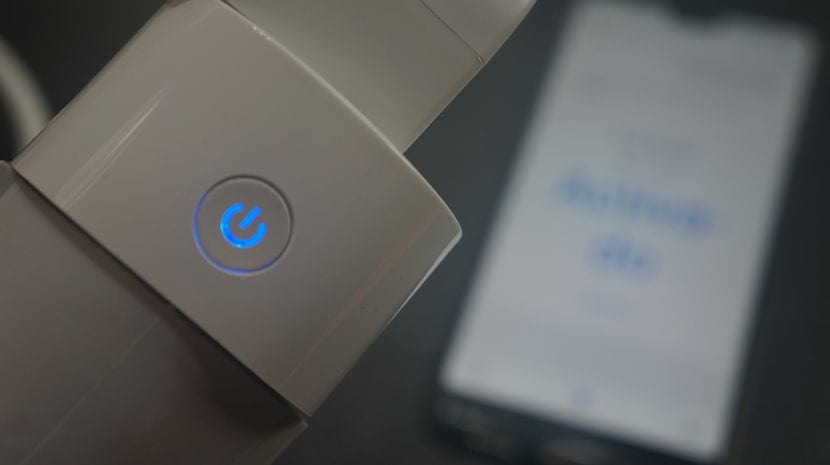
There are more and more types of smart home devices compatible with Alexa and Google Home. Simply download the app for Android and iOS to control your home from your phone or using voice commands.
We offer a wide range of products: Wi-Fi bulbs and plugs , IP security cameras, smart switches, boiler controllers, thermostats, and even smart appliances like compatible stoves and microwaves. For those seeking advanced functionality, we also have motion sensors, temperature sensors, and universal remote controls.
- From this link you can access the best offers on Amazon to buy smart bulbs compatible with Smart Life.
- From this link you can access the best offers on Amazon to buy smart plugs compatible with Smart Life
- From this link you can access the best offers on Amazon to buy smart switches compatible with Smart Life
- From this link you can access the best offers on Amazon to buy smart cameras compatible with Smart Life
2nd – Download and configure the corresponding application

The next step is to scan the QR code found on the box or in the manual. In my case, I initially used the Wook Home app for some Woox LED bulbs. However, you can control and configure all the other devices you add, even those from different brands, from the first app you download (either Smart Life or Tuya Smart).
For successful installation, router preparation is vital . Since these chips use the 2.4 GHz band , make sure your mobile device is connected to that network and not the 5 GHz band during pairing, otherwise the app may fail.
The process is simple: download the app, create your account, tap the "+" button , and allow the app to detect the bulb or plug via Bluetooth, or select it manually. If the device isn't flashing, remember to reset it by turning it on and off three times in a row using the physical switch.
3rd – Configure the devices and organize the house
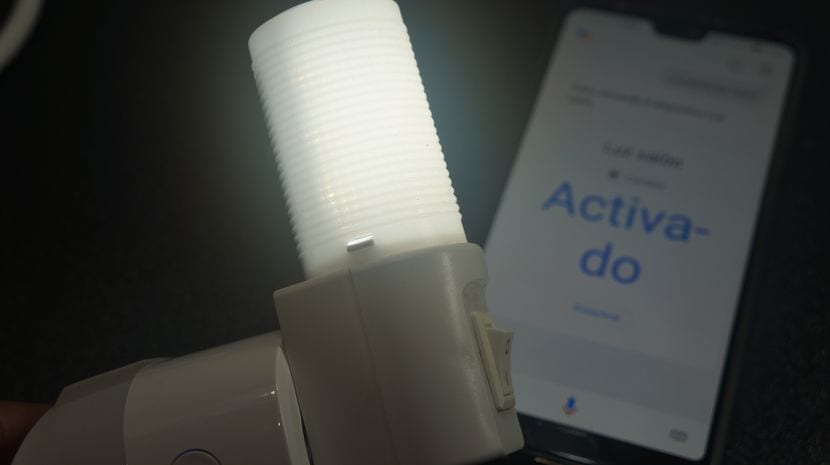
Once registered, you can organize your devices by room on the main dashboard. This helps maintain order and facilitates group control. In the video at the beginning of this post, I demonstrate in detail the setup process, from the app to integration with Google Home and how to control a light connected to a smart plug.
For those who want to take the experience to the next level, synchronization with Amazon Alexa or Google Home is essential. Simply go to the "More Services" or "Skills" section in the assistant's app, search for "Smart Life," enter your credentials, and all your devices will appear ready to be controlled by voice.

Automation and Intelligence: Much more than a remote control
Having a remote control on your phone is convenient, but true home automation happens in the "Intelligence" or "Smart" tab . This is where you can create rules and scenarios so your home works for you without your intervention.
Types of advanced automation
- Tap To Run: It allows you to interconnect multiple devices and activate them with a single button. For example, a "Home Theater" button that turns off the lights, lowers the blinds, and turns on the TV.
- Automation by Schedule: You can program the coffee maker to turn on at 7:00 AM or the outdoor lights to turn off at dawn.
- Location-based (Geofencing): Using your mobile phone's GPS, you can configure devices to turn off when you leave home or to turn on the air conditioning when you are 1 km away.
- Change of Status (Chain of Action): If a door sensor detects that the entrance has been opened after 18:00 PM, the hallway light should automatically turn on.
- Weather conditions: Automate your air conditioning or heating based on the outside temperature or humidity detected by the app's weather service.
Two practical examples for saving money and improving security are presence simulation (randomly turning on lights while you are on vacation) and "Vampire Mode" , using plugs with a consumption meter to cut the power to appliances on standby when it detects that your mobile phone has left home.
System Limitations and Expert Advice (EEAT)
It's important to be honest about the limitations of budget devices. The main problem is router overload . Basic ISP routers often crash when you connect more than 15 or 20 Wi-Fi devices, causing some to appear as "Offline . "
If you're planning a large-scale home automation project, the next step is to migrate to the Zigbee protocol . You'll need a small , inexpensive Zigbee hub from Tuya to manage the devices. This way, the light bulbs connect to the hub and not directly to the router, freeing up bandwidth on your Wi-Fi network.
Regarding security and privacy , there is no risk involved in turning on lights. However, for surveillance cameras in private areas, some experts recommend systems with local processing or premium brands, since Smart Life images travel through cloud servers.
Finally, remember that since it's a cloud-based system, if you lose internet access, you won't be able to use your mobile phone to control the devices, although the physical switches will continue to function normally.
Technology has advanced to the point where having a connected home is now an affordable option for any family. The Tuya and Smart Life ecosystem has eliminated the price barrier, offering a reliable platform compatible with the most popular voice assistants. All you need is an Android or iOS mobile device and a few basic gadgets to start improving your comfort, saving energy, and simplifying your daily routines.
Table of Contents
