
This year, Google made a significant inroads with the "In Apps" shortcut, which you can learn how to add in this video. It allows you to easily access the third-party apps installed on your phone. Essentially, it's a search engine for all kinds of local information stored on your smartphone, accessible through all the apps you use daily. This is one of Android's best features, as it eliminates any barriers to accessing your Evernote notes or Todoist to-do lists directly from a shortcut.
Google Home is another product that benefits from the ability to explore third-party apps with Actions. This is one of its greatest strengths, aside from the ability to perform natural interactions through voice commands , setting it apart from the competition, which is currently dominated by Amazon Echo while we wait for Apple to launch its own next year. Google Home Actions allows users to "talk" to their third-party apps to access them as if they were interacting with them, all through the ease of using voice commands.
"Actions on Google"
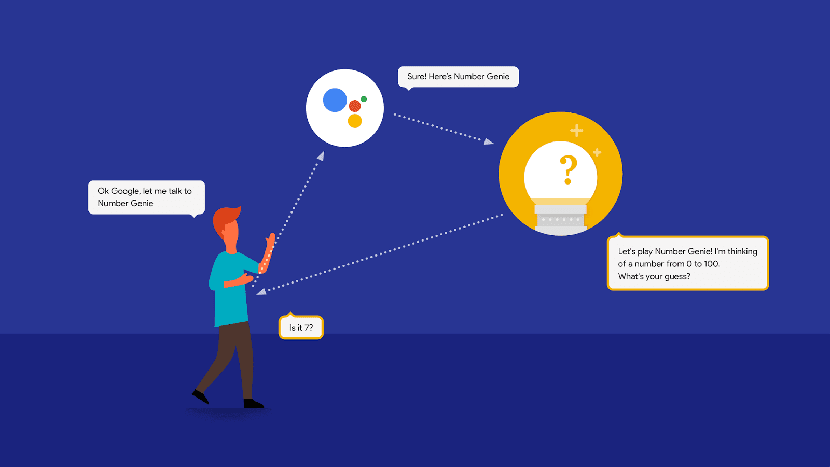
This is one of the major differences you'll experience when you get your Google Home. You can interact with third-party apps through natural conversations with Google Assistant, so you can dictate a to-do list to save it in Todoist, play a Spotify playlist, or have Evernote read aloud that Christmas greeting you wrote so you can edit it. This is the future that's coming with Google Home, and "Actions on Google" plays a big part in making it a reality.

That's why Google is urging developers to start creating actions that facilitate conversations and offer their capabilities to users with Google Home devices. Think about it: any of those apps you're used to, even those not from Google, could have certain actions that can be performed using voice commands. This is very interesting and expands the possibilities of home automation and what a voice assistant like Google Assistant can do.
The more actions the virtual assistant can perform, the more "smart"
You can be the "smartest" virtual assistant, but if you're limited to writing emails, playing songs, and displaying traffic information, it won't be as "cool" as a Google Home open to all those apps from the Google Play Store that you can interact with via voice using Google Assistant.
The more information it contains and the more actions it can perform, the better it is for the user. This is where we can differentiate between Alexa, which has "skills," and Google Assistant, which has "actions."
The basic concept is similar for both Alexa's "skills" and Google Assistant's "Actions." You ask by voice to connect to a specific service or app, and the system connects you to that service or app, giving you access to its data, services, and so on. The difference is that Actions behaves just like Google Assistant: it participates in natural, flowing conversations like no other.
Those with a Google Home can ask Assistant to connect them to an integrated service. There's no need to install an app or activate a skill. This function is part of Google Assistant, which relinquishes the responsibility to the developer and allows Google to act as the "bridge" between the user and the service.
This opens up a lot of possibilities for us, as well as for the developer who will have to sign an agreement to access the integration of actions in Google Home.
Table of Contents